
Tour management
Tour management software
Charles Tour is tour management software for tour managers and live teams: schedule, dates, venues, hotels, travel, documents and crew access - in one workspace.
No credit card. Full features during the trial.
Product preview
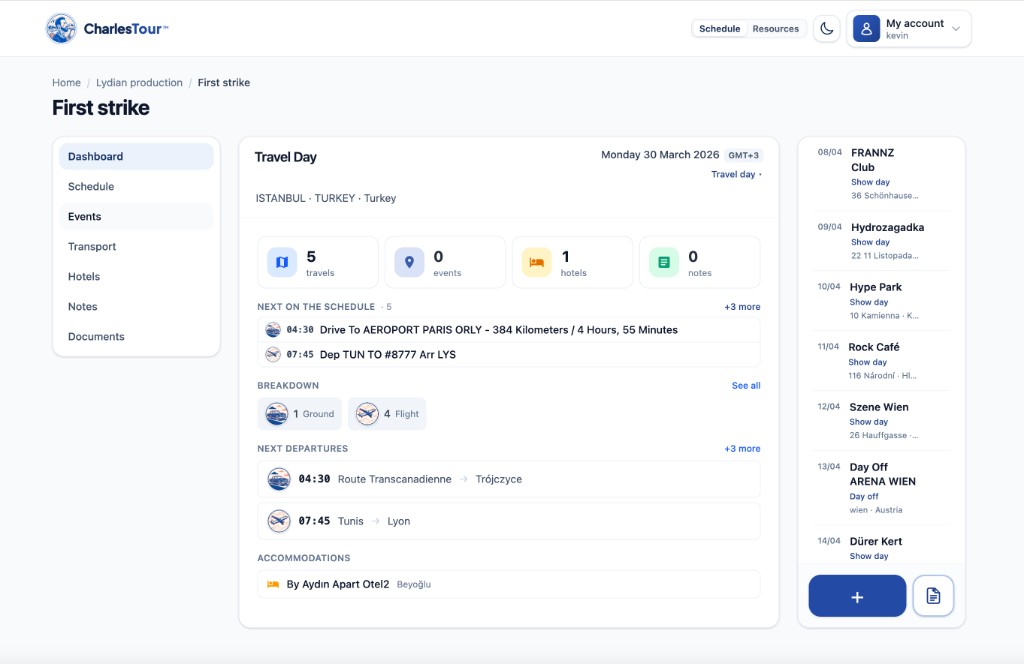
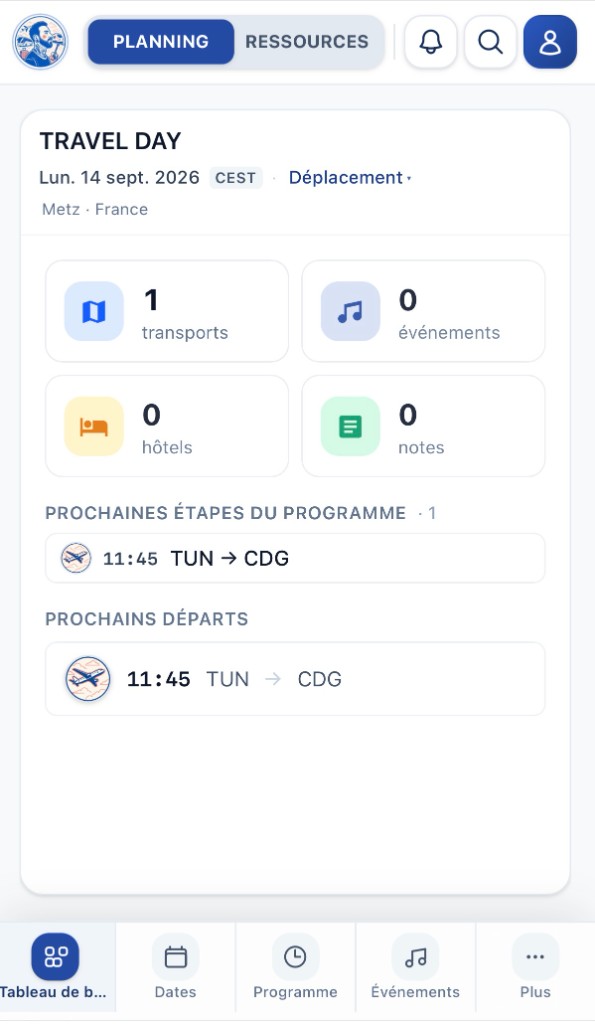
Your tour schedule at a glance
Dates, day sheets and resources in one place - on desktop and on mobile.
Definition
What is tour management software?
Tour management software centralizes what a live production tracks every day: dates and show days, venues, promoters, hotels, travel, contacts and documents. The goal: one shared source of truth for the tour manager and crew - instead of scattered spreadsheets and email threads.
Who it’s for
Built for people on the road
-
Tour managers & production managers
Run the schedule, validate bookings, and give crew the access they need.
-
Production companies
Multiple artists and tours: one shared tool, role-based access.
-
Self-producing bands & artists
Start fast with CSV or Bandsintown import, then refine hotels and travel.
Scope
What tour software should cover - and what Charles Tour covers
Tour management fundamentals, plus the pieces that save time on the road.
-
Schedule & day sheets
Dates, timings, show days and day sheets in one place.
-
Venues & promoters
Places, contacts and useful info for every date.
-
Hotels & bookings
Contiguous stays, rooming and confirmation tracking.
-
Travel & routings
Flights, trains and moves tied to the tour schedule.
-
Team & crew access
Read-only crew access with no per-seat surcharge.
-
Tour bus & bunks
Bus layout and bunk assignment - including crew pick sessions.
Differentiator
Less retyping: Charles reads your booking emails
Connect Gmail (read-only) or any IMAP inbox. Charles detects flight, train and hotel confirmations, then proposes the line in your schedule. You accept or decline - nothing is saved without your validation.
No “automatic update”: the tour manager stays in control of every line.
-
Your tour is already there
Dates, cities, venues - Master Tour or Bandsintown import, or manual entry. The skeleton already lives in Charles Tour.
Charles Bot knows which date to attach each confirmation to.
-
It detects in your mail
Flights, trains, hotels, OTA confirmations: Charles Bot finds them in Gmail or IMAP and prepares a structured proposal.
No more digging through inbox or copying by hand.
-
You approve in one click
Each proposal lands in the app, linked to the right date. Review, accept - the schedule updates for the whole team.
A tour that builds as confirmations arrive, without re-entry.
In practice
How to get started with Charles Tour
- 01
Create your workspace
14-day trial, no credit card. Create your organization and first tour.
- 02
Import or enter data
Master Tour CSV, Bandsintown dates, or manual entry - depending where you start.
- 03
Let Charles propose
Optional mail connection: confirmations become proposals you validate.
Go deeper
Useful Charles Tour pages
FAQ
Common questions about tour management software
What is tour management software for?
It replaces the Excel / email / Drive patchwork for live touring: dates, venues, hotels, travel, contacts and documents in one tool shared with the team.
Is Charles Tour a fit for independent tour managers?
Yes. It’s built for a TM running one or several tours, with read-only crew access without paying per head, and a 14-day trial to validate the workflow.
Does Charles Bot replace manual entry?
Charles proposes lines from your booking emails (flight, train, hotel). You validate each proposal. It does not write automatically into the schedule.
Can I migrate from another tool?
Yes for a Master Tour CSV export (day sheet / routing). You can also start from Bandsintown public dates, then complete the rest in Charles Tour.
Which devices does it work on?
Web browser, desktop apps (Mac, Windows, Linux) and mobile (iOS, Android), with offline viewing on the road.
Move to modern tour management software
14-day trial, import available, optional Charles Bot. One source of truth for the whole team.